NFL Network
4.54.31KReviews
Analysis ByAppCompare
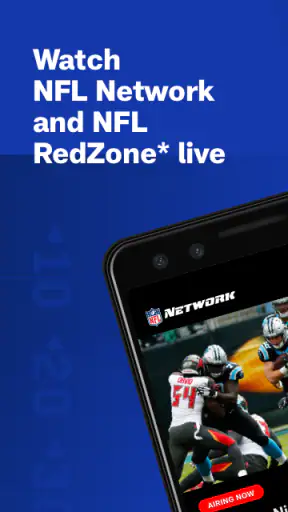
I approached NFL Network as a practical companion for following American football away from a television, rather than as a complete replacement for every other football service. It is a free sports app from NFL Enterprises LLC, focused on NFL Network programming and NFL RedZone on phones and tablets. That narrow purpose is also its main appeal: if the programming available through your access matches what you want to watch, the app can put a familiar NFL viewing destination in your pocket without asking you to pay for the download.
My overall impression is positive, but conditional. The app feels most useful for fans who already know they want NFL Network content and need a mobile screen for it. It is less convincing for someone looking for a broad football hub with every game, every local broadcast, deep statistical tools, or a large on-demand library. I would recommend it to a committed NFL viewer, while telling a casual fan to check the available viewing access before making it the center of their setup.
How NFL Network fits into everyday football viewing
The current version is 12.60.2, and the app has been available since November 14, 2012. That long presence matters because this is not a new experiment trying to discover what a sports app should be. It is an established mobile route into NFL Network programming, with a clear identity built around the league’s own content. The developer, NFL Enterprises LLC, keeps the experience tied closely to that purpose instead of presenting it as a general-purpose sports portal.
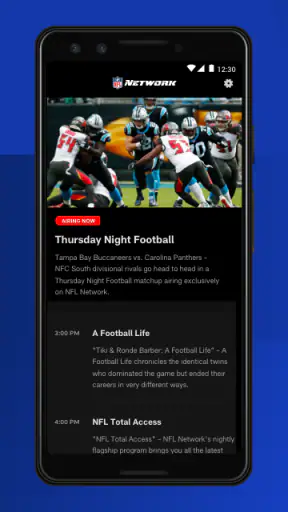
In practical terms, I see two main ways to use it. The first is live viewing when you are away from the television. The second is keeping NFL Network programming within reach during parts of the day when opening a browser or finding a traditional broadcast is inconvenient. The phone format is especially handy in a kitchen, at a desk, or while traveling, although the quality of the experience depends heavily on your connection, screen size, and access to the relevant programming.
The app is free to install, which makes trying it low-risk. It is rated for Everyone, and its Android requirement is OS 9 or newer. Those details make it approachable for people using older but still supported devices, although compatibility on paper does not guarantee that every phone will feel equally comfortable for streaming. A smaller display can make extended viewing tiring, and an older handset may handle video less smoothly than a recent tablet or phone.
Its public reception is strong: the app carries a 4.5 average from around 19 thousand ratings, with more than four thousand written reviews and over one million installs. I would read those figures as evidence of a substantial audience and generally favorable response, not as a promise that every viewing situation will be effortless. Streaming apps are unusually sensitive to network conditions, account access, device settings, and the exact program a viewer expects to see.
The best realistic use case
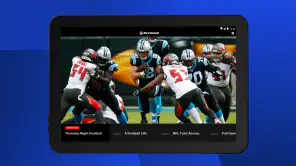
Imagine that I am preparing dinner while a football discussion or live NFL Network program is underway. I do not want to occupy the main television, but I still want the coverage in view. The app lets me use a tablet on the counter or a phone nearby, turning the device into a second screen. In that situation, the value is not complicated navigation or elaborate customization. It is simply having NFL Network programming available where I am already spending time.
A similar situation comes up when I am commuting as a passenger, waiting between appointments, or staying somewhere without easy access to my usual television setup. The app is more convenient than repeatedly searching the web for an official stream, and it keeps the viewing destination associated with the NFL rather than sending me through unrelated sports pages. I would still use headphones in public and keep an eye on mobile data consumption, because live video can become inconvenient quickly when the connection is unstable or the data allowance is limited.
There is also a useful second-screen role. I can keep a live program running on a tablet while using my phone for messages or team-related browsing. That is not a special feature I would treat as guaranteed on every device; it is simply where a mobile version of NFL Network makes sense. The trade-off is that the smaller display encourages distracted viewing, so the app works better for monitoring coverage or catching segments than for making every minute of a major football event feel cinematic.
What the app does well today
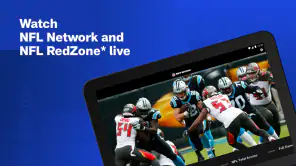
The clearest strength is focus. When I open an app built around NFL Network, I do not have to begin with a broad sports menu and work through unrelated leagues. The identity is immediately understandable: this is for NFL Network programming, including NFL RedZone where the appropriate viewing access is available. That directness is more valuable than it sounds, particularly on a phone, where every extra navigation step feels more noticeable.
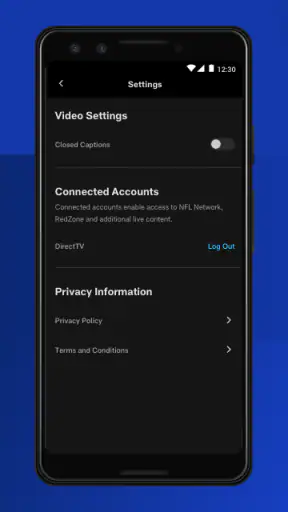
The free installation also lowers the barrier for existing NFL viewers. I can add it to a compatible Android device without treating the download itself as a purchase decision. That does not mean all programming access is automatically included simply because the app is free, and this is one of the first points I would tell a friend to check. The download price and the right to watch particular content are separate questions in many television apps, so I would verify the sign-in or provider path before planning an important viewing session around it.
NFL RedZone is another important part of the app’s appeal. For fans who prefer a fast-moving overview of live action, its presence can be more useful than a standard channel feed alone. At the same time, I would not confuse RedZone with a complete substitute for watching one team’s full game. Its appeal is breadth and immediacy, while a dedicated game broadcast is better when I want to follow a single matchup, hear its full commentary, and stay with the same story from beginning to end.
The app’s scale is reassuring in a practical way. More than one million installations suggest that it has been used across a meaningful range of devices and viewing habits. The rating and review volume also give prospective users more context than a brand-new app would provide. Still, I would judge it by my own needs: a fan who mainly wants league-owned programming may find it exactly right, while someone expecting a universal NFL archive could be disappointed despite the positive overall reception.
How the current version affects returning users
For someone who has used earlier releases, version 12.60.2 is best understood as part of an ongoing product rather than a completely different app. The release number shows that the software has continued to evolve, but I would avoid assuming that a version change automatically means a dramatic redesign or a particular new feature. What matters to an existing user is whether the current build opens reliably, presents the live content clearly, and preserves the route they already use to reach NFL Network programming.
That distinction is important when deciding whether to update before a game or major program. I prefer updating ahead of time, not minutes before kickoff, so I can sign in, confirm that the app recognizes my access, and test playback on the device I plan to use. This is a small habit, but it prevents a common streaming problem: discovering an account or compatibility issue precisely when the desired program begins.
Returning users should also think about where they watch. A phone that was adequate for occasional clips may not be comfortable for a long live session. A tablet can be a better compromise, offering a larger picture without taking over the television. If I am using an older Android device that meets the OS requirement, I would close unnecessary apps, keep the system updated, and avoid judging the service solely from one poor connection. Those steps do not fix every issue, but they help separate app friction from local device problems.
The app’s evolution should be viewed through that practical lens. A mature sports application has to serve both loyal viewers and people arriving for a particular event. Existing users generally benefit when the path to live content remains familiar, while new users need clear cues about what they can watch and how access works. My expectation is not that every update will transform the interface; it is that the product should keep reducing uncertainty at the moment a viewer wants to start watching.
Where it falls short compared with alternatives
The biggest limitation is scope. NFL Network is not the same thing as a complete live-TV replacement, a team-specific app, or a general football statistics platform. If my priority is one local broadcast, I may be better served by the broadcaster or television service that carries that game. If I want scores, standings, play-by-play information, and broad league tracking while watching elsewhere, a dedicated NFL scores experience may be more suitable. The right alternative depends on whether I value live channel programming, individual games, or information around the games.
It is also not the ideal choice for someone who expects every NFL event to appear in one place. The app’s identity is centered on NFL Network and NFL RedZone programming, so I would not install it assuming that it grants access to all broadcasts, all out-of-market games, or every piece of league video. That expectation mismatch is more serious than a minor interface annoyance. Before relying on it for a specific matchup, I would identify the actual channel or package carrying that matchup and then see whether this app is part of that access route.
Live streaming itself introduces friction. Picture quality can change with the network, playback can be less comfortable on a small screen, and watching over cellular data may not be practical for long sessions. I also would not choose this app as my only option for a high-stakes viewing party unless I had tested it on the same network and device beforehand. A television service with a set-top box may feel less flexible, but it can be the safer choice when stability, a large screen, and shared viewing matter more than portability.
Another trade-off is that a focused channel app may feel limited between live programs. Fans who prefer deep archives, personalized team feeds, or extensive analysis tools may want a broader service alongside it. I like the lack of unnecessary distraction, but that same simplicity means the app should be judged as a viewing doorway, not as the entire digital NFL experience.
Practical habits that make the app more useful
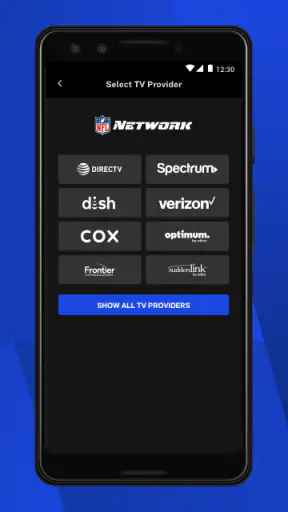
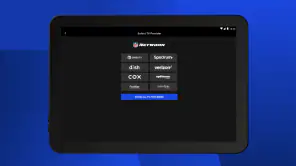
I would begin by treating access as a setup task rather than an emergency task. Install the app on the device you actually plan to use, open it before the event, and follow the available sign-in or provider instructions. If another person in the household controls the television subscription, confirm those details in advance. This is especially worthwhile when the app is being used on a secondary tablet that has not previously been connected to the account.
For longer viewing, I prefer Wi-Fi and a stable power source. A phone used for live video can lose battery faster than expected, and a weak wireless signal can create more frustration than the app itself deserves. When I am traveling, I would use a reliable personal connection or download other entertainment in advance rather than assume that an unfamiliar network will handle live sports comfortably. I would also keep the device positioned where notifications, glare, and accidental touches are less likely to interrupt the program.
One less obvious advantage of testing the app early is that it reveals whether the phone is the right screen at all. Some viewers will find that a tablet turns the experience from a temporary check-in into comfortable background viewing. Others may decide that the app is best used for short sessions while the television remains the primary display. That is not a failure; it is a useful division of labor between mobile streaming and traditional viewing.
I would also separate three questions whenever something does not appear as expected: Is the program part of NFL Network? Is my viewing access entitled to it? Is the device and connection ready for playback? Asking those questions in that order is more effective than repeatedly reinstalling the app. It helps identify whether I am facing a content-rights issue, an account issue, or a technical issue, each of which calls for a different solution.
What I would like to see next
As the app continues beyond version 12.60.2, I would watch for improvements that make the viewing path more transparent rather than simply adding more visual decoration. Clearer explanations around live availability, smoother account recognition, and dependable transitions between NFL Network programming and NFL RedZone would have a direct effect on trust. These are the moments that determine whether a fan feels ready for a live event or worries that the app may require troubleshooting at the worst possible time.
I would also value continued attention to different screen sizes and connection conditions. A phone, a tablet, and an older compatible Android device do not create the same viewing experience. The more gracefully the app handles those differences, the more useful it becomes as a genuine companion rather than a service that only feels comfortable under ideal conditions.
My expectations remain measured. I would not want the app to lose its focused identity by becoming overloaded with unrelated tools. The strongest future direction is one that preserves quick access to NFL Network programming while helping users understand exactly what they can watch, where they can watch it, and what to do when access or playback does not behave as expected.
My recommendation
I would recommend NFL Network to an NFL fan who specifically wants league-network programming on a phone or tablet and appreciates having NFL RedZone available through the appropriate access. Its free download, established history, broad installation base, and strong average rating make it an easy app to try. The developer’s focused approach also means I can understand its purpose quickly instead of learning a complicated sports ecosystem.
I would skip it as my primary solution if I mainly need local game broadcasts, a complete out-of-market package, detailed scores and statistics, or a polished living-room replacement. In those cases, a television provider, broadcaster, or dedicated scores tool may fit better, possibly alongside this app rather than instead of it. The key is to choose based on the content I actually want, not on the assumption that an official NFL app must cover every kind of football viewing.
For me, the app succeeds when I use it for what it is: a focused mobile connection to NFL Network programming. It is convenient during everyday moments when the television is unavailable, and it can be a sensible second screen for fans who already understand their viewing access. If you confirm the program and access before game time, NFL Network is much easier to enjoy than to troubleshoot under pressure. That simple preparation reflects my final view: useful, credible, and worth installing for the right NFL viewer, but not a universal answer to every football-watching need.
FAQ
What is NFL Network, and what can I watch on it?
NFL Network is the league’s official television and streaming service, offering live and recorded football programming. Depending on your location and TV provider, you may find NFL news, analysis, interviews, documentaries, classic games, preseason coverage, special events, and selected live games. The exact content available in the app can vary by season, region, and subscription package.
Do I need a subscription or TV provider login to use NFL Network?
Many NFL Network features can be browsed without signing in, including headlines, videos, schedules, scores, and general league information. However, live streams and some premium videos usually require authentication through a participating cable, satellite, or streaming television provider. Access may also depend on your subscription package, so installing the app does not automatically guarantee access to every program.
Is NFL Network available on Android and iPhone devices?
NFL Network is generally available through official mobile applications and supported platforms, including Android and iOS, although availability can differ by country and device model. Before downloading, check the Google Play Store or Apple App Store listing for operating-system requirements, supported regions, and recent compatibility information. Keeping your device software and the app updated can also improve playback and stability.
Can I watch live NFL games through the NFL Network app?
The app may provide live NFL Network programming and selected events, but it is not a universal pass for every NFL game. Regular-season games are distributed across different broadcasters and streaming services, while availability can depend on your location, blackout rules, rights agreements, and TV-provider authentication. Review the in-app schedule and your provider’s channel package before relying on it for a specific game.
Does NFL Network support notifications, streaming quality, and casting?
NFL Network may offer team and league alerts, video streaming, schedules, and support for viewing on compatible televisions or connected devices, but features can vary between Android, iOS, and regional versions. A reliable internet connection is important for smooth playback, especially for live video. Users should also review notification permissions, mobile-data settings, and device compatibility because high-quality streaming can consume considerable data.
Pros
- Live coverage
- highlights
- and analysis keep fans updated throughout the NFL season.
- Video content includes interviews
- documentaries
- and behind-the-scenes football stories.
- Personalized notifications can help users follow breaking news and important league updates.
- The app offers useful access to schedules
- scores
- standings
- and team information.
- A polished interface makes it easy to browse videos and NFL Network programming.
Cons
- Some live content may require a participating TV provider or paid subscription.
- Availability of games and videos can vary by location and broadcast rights.
- Video quality may suffer on slower connections or when streaming on mobile data.
- Frequent notifications may feel excessive unless alerts are customized carefully.
- The app focuses heavily on U.S. football
- limiting its appeal to casual global sports fans.